
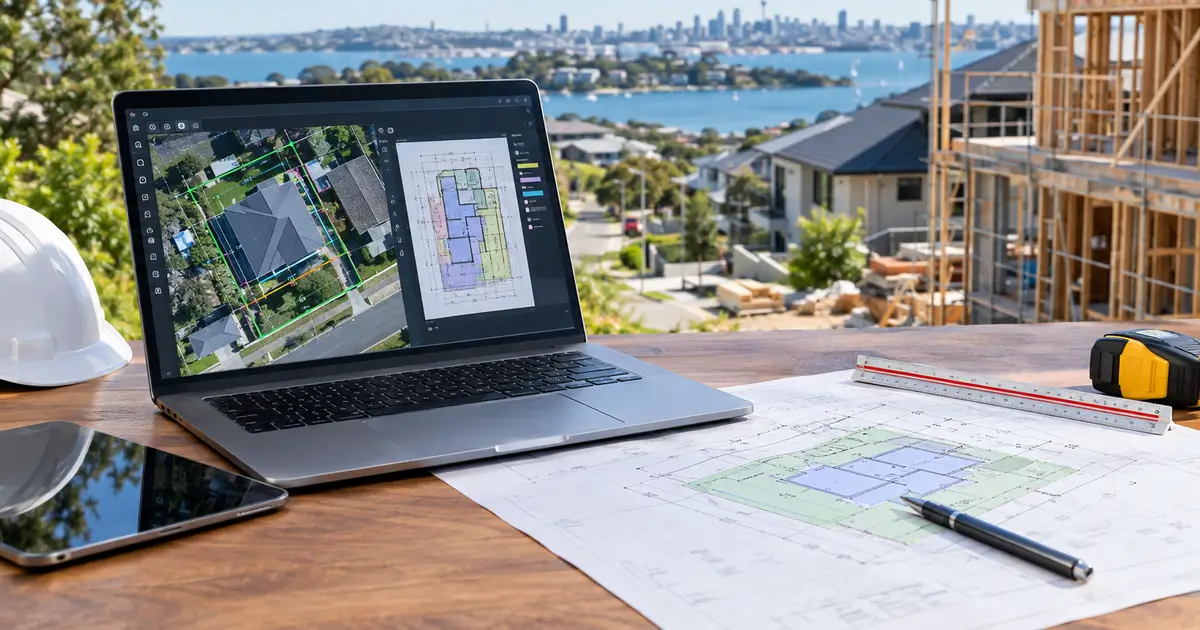
Takeoff software turns drawings into quantities. A tool that has drifted into pricing has stopped being a takeoff tool. Some builders are replacing a scale rule and want to know how on-screen measurement works before they trust it. Others have been sold a tool on a feature list and cannot say why one measurement is right and another is wrong. Both questions come down to scale calibration.
Key Takeaways
- Takeoff measures; estimating prices. Where GST and labour rates enter the number is an estimating question.
- The printed scale ratio is a hypothesis. A photocopy, a rescan or a rescaled PDF breaks the stated ratio without changing the title block. Calibrate from a known dimension, then verify against a second one.
- Five primitives cover residential work: count, line/polyline, area/rectangle, and the ruler as a check. One traced shape yields area and volume once a height or depth is set.
- Roof plan area is not roof surface area. Measure the plan, price the sloped area.
- AI takeoff is real on clean vector architectural sets and unreliable on dense MEP and scans. Treat the output as review-ready.
What Takeoff Software Measures, and What It Leaves to Estimating
Takeoff measures quantities from drawings: square metres of wall, lineal metres of skirting, cubic metres of concrete, a count of doors. Estimating applies rates to those quantities.
The two fail differently, which is why they are worth separating even when one product does both. A takeoff fails on scale calibration and the measurement convention behind it. An estimate fails on rates gone stale and scope never measured. Traceability is the shared rule: if a quantity cannot be traced back to a location on a specific sheet, the number below it is a guess with decimals.
The takeoff produces a quantity list, and eventually a bill of quantities — the input to pricing, not the pricing itself. The construction estimating software guide carries the cost side, and construction quoting software covers the offer to the client.
Measuring a Scaled PDF On Screen
On-screen takeoff replaces a scale rule with a calibrated page. You draw over the drawing, and the tool converts page coordinates into real-world units using a scale set for that page.
That scale is usually printed in the title block, which is exactly why it should not be trusted. A ratio preset such as 1:100 only holds when the PDF is at its true paper size; a scan, a photograph of a drawing, or a PDF that has been resized loses that guarantee, so measuring against the preset gives wrong numbers (SolidTakeoff). The failure is quiet: a photocopied sheet reduced to 98 per cent still carries a 1:100 note, a clean-looking polyline and a result two per cent out on every quantity in the set.
Calibration is a two-step procedure. Draw a line over a known dimension, enter its real-world length, then measure a second, different labelled dimension and confirm it agrees before you take off anything (PolyPDF). Calibrating from the longest available dimension makes the check more sensitive to a small error (VDCI).
The rule is per sheet, not per document: Autodesk's Takeoff documentation states that before takeoff on a sheet, "you must specify its scale" (Autodesk Takeoff help). A 1:5 detail inside a 1:100 set is the standard trap.
Two situations cannot be calibrated away. A scan whose horizontal and vertical reference dimensions disagree by different percentages is non-uniformly distorted, and one calibration will not make it accurate (PolyPDF). A page with no legible known dimension leaves nothing to calibrate from. Request the vector file rather than measure carefully and hope.
The Measurement Primitives That Cover Residential Work
Five tools do almost all of it, and choosing between them is really a decision about what you want to deduct later.
Count suits anything quantified as an each: footings, columns, doors, fixtures. Line and polyline cover wall runs, pipe, skirting, frame and gutter. Area and rectangle cover slabs, flooring, ceilings, roof plan and wall face. The ruler is a one-off check, being the verification step above rather than a takeoff tool in its own right.
The economy comes from tracing one shape and reading several results off it. Set a height on a linear condition and it yields an area; add a thickness and the area yields a volume. That is how one wall trace produces lining area, paint area and concrete volume (On Center). Openings come off wall and floor areas, attached to the shape they belong to.
Roof pitch is the other place the plan misleads. A roof is a tilted plane, so a flat plan shows only its horizontal shadow, always smaller than the real surface (Exayard). For a roof rising 6 units over a run of 12, the pitch factor is √(1 + (6 ÷ 12)²), or about 1.118.
Keeping measurements editable and auditable
Keep measurements editable rather than flattened into a total. Every quantity should carry the sheet, the revision and the shape that produced it, so a challenge three months later resolves by opening the drawing rather than redoing the work, and a revision costs a re-measure of the affected shapes rather than a redo. Name conditions consistently so a quantity can be re-found by someone who did not draw it. See construction management software for where the takeoff sits in a wider system.
PDF, DWG/DXF and IFC: What Each Format Gives You
The format decides how much the tool has to infer, and that decides how much you have to check.
Vector PDF is the common case: geometry and text survive the plot, so snapping and shape detection work, but the scale still has to be calibrated per page. Scanned or photographed drawings keep no reliable paper size and no vector geometry, so calibration works from pixels and detection quality drops sharply — the format where a careful manual measure beats an AI feature.
DWG and DXF carry geometry, layer structure and drawing units. Model space is normally drawn at full size and resized only when plotted, so an estimator measures geometry directly rather than inferring it from a scale note, and layers let a trade isolate its own scope. Our guide to uploading DWG plans for Adelaide trade quotes covers preparing the file.
IFC and model-based extraction take quantities from the model's own geometry rather than a traced shape, but what arrives depends on export settings. Revit's IFC exporter has an "Export base quantities" option that generates quantities from model geometry, "independent of measurement rules or methods" (Autodesk Revit IFC help).
A designer-supplied schedule is the best case when it exists, but it covers only what the modeller scheduled. A door schedule is reliable; a concrete volume taken from a placeholder element is not.
AI Takeoff: What Vendors Claim and What Has Been Measured
AI takeoff is a real feature, and the accuracy numbers attached to it describe conditions nobody has published.
Three of eight AI takeoff vendors checked on their own sites carry a headline figure in the high nineties. One promotes "up to 98%" and drops the qualifier elsewhere on the same page, with no footnote, no named plan set and no definition of what counts as a correct detection. An independent audit concluded that public benchmark datasets for AI takeoff number zero, and that the one peer-reviewed study available found a single first-time user's corrected takeoff within 5 per cent of a manual count on a few small floor plans (Bildrix, 19 August 2026).
The most sobering figure comes from a vendor that sells the feature. Togal.AI published a benchmark of 33 takeoff tasks on real drawings: the best general AI model scored 34.0 out of 100, while Togal's own platform scored 97.7, "run with a person in the loop" (Construction Metrics, 8 October 2026). That 97.7 is a human-reviewed result, not an unattended machine pass.
The standard worth holding is review-ready. The same audit relays PlanSwift's own description of its AI feature: "a head start, not a finished bid", which is more useful than any percentage. Clean, repetitive, vector architectural sets are the strong case; dense MEP, structural and scanned sets are the weak case (RiffleCM, 11 July 2026). Verify an AI quantity against a measured dimension before it enters a bill.
Takeoff-Capable Tools Available in Australia
The Australian set splits by access model rather than by feature list. Prices below were checked in October 2026 and are quoted as each vendor publishes them; where nothing is published, that is stated.
| Tool | Best for | Published AU pricing | Price basis | Takeoff |
|---|---|---|---|---|
| Buildxact | Residential builders and renovators | Foundation $199, Pro $399, Master $599 per month ex GST, unlimited users; annual $169 / $339 / $509 | Per account | Digital takeoffs on every tier; Blu: Takeoff Assistant on Master (pricing) |
| Cubit (Buildsoft) | Professional estimators, quantity surveyors | $170 / $226 / $255 per user per month plus GST, annual term; $167 billed annually | Per user | PDF, CAD, and IFC BIM takeoff on Enterprise (pricing) |
| PlanSwift Pro Metric | Estimators wanting a floating licence | AU$170 per month or AU$1,800 per year ex GST | Per licence | Core function, with Excel integration (buy page) |
| Bluebeam Revu | Teams already marking up PDFs | Basics AU$451, Core AU$550, Complete AU$737, Max AU$979 per user per year, tax-inclusive | Per user, annual | Core adds perimeter, count and volume; Complete adds Dynamic Fill and Quantity Link to Excel (AU pricing) |
| SmarteBuild | Builders wanting takeoff and BOQ in one | A$189 Estimator, A$379 Builder, A$689 Developer per month, unlimited users | Per account | Take-off included on every tier (pricing) |
| AllQuote | Trades wanting takeoff without estimating | A$99 per month including GST, three users | Per account | Standalone Takeoff plan (takeoff page) |
| 2estimate | Subcontractors pricing off plans | Free; A$79 Professional; A$119 Enterprise per month | Per account | PDF takeoff with boolean deductions for openings (plans) |
| Groundplan | Trades and subcontractors | Vendor pricing table failed to load when checked (October 2026); a reseller listing publishes A$99 per month per seat | Per seat | Core function |
| BuildPass | Builders wanting preconstruction on a site-safety platform | Quote only; the vendor states why it does not publish prices (plans) | Quoted | Preconstruction takeoff module |
Two comparisons matter more than the headline. The access model decides value: per account with unlimited users is poor value for a solo estimator and good value for an office of six, while per user on an annual term is the reverse. And GST treatment is inconsistent — Bluebeam's Australian prices are tax-inclusive, Buildxact and Cubit quote excluding GST, and AllQuote includes it. A builder pricing only a few jobs a year should check what free estimating software includes before paying for a seat.
Frequently Asked Questions
What is construction takeoff software?
Software that measures quantities from drawings: areas, lengths, counts and volumes taken off a calibrated PDF, DWG or model. It produces a quantity list or bill of quantities, and does not price it.
Why are my takeoff measurements wrong?
Check the page scale first, on every page. If the error is a consistent percentage and scale is correct, the sheet may have been resized or photocopied before it reached you. If horizontal and vertical dimensions disagree by different amounts, the scan is distorted and one calibration will not fix it.
Is AI takeoff accurate?
On clean, repetitive, vector architectural plans it produces useful quantities quickly. On dense MEP, structural and scanned drawings it is not reliable. Vendors publish accuracy figures without the method behind them, so treat output as review-ready and verify it before it enters a bill.
How much does takeoff software cost in Australia?
Published prices run from A$99 per month including GST for a standalone takeoff plan to AU$979 per user per year for Bluebeam's top tier, both checked October 2026. Some tools include takeoff on every tier; others quote on application. Confirm the price basis and GST treatment before comparing.
Where This Leaves the Category
Takeoff is a small, learnable procedure and calibration is the skill that decides whether it is right. Set the scale per page, verify it against a second dimension, measure with the primitive that matches the quantity, deduct openings, and keep every measurement editable so a revision costs a re-measure rather than a redo.
The measurement then feeds a priced bill of quantities, and that is where the work stops being measurement and starts being estimating — GST at 10 per cent, labour rates, margin and allowances all enter at that point, and the estimating guide covers them.
Our own Adelaide trade-quote desk runs this handover as a service: one drawing set in, comparable trade quotes out, which only works if the takeoff beneath the quotes is clean. Submit a set at get started, or see how it fits a builder's systems on the builder enablement page.